
Translate PrestaShop Product Description with Claude
Need to translate your PrestaShop product data without spending a fortune? With Claude integration in Store Manager for PrestaShop, you can automate translations smoothly and avoid recurring costs. If you haven’t tried the software yet, now is a great time to start with a free trial.
In this guide, we’ll walk you through how to translate PrestaShop product descriptions using Claude integration in the Store Manager application.
Before starting the translation process, let’s review the current data. In the example below, the PrestaShop products have descriptions available only in English. The French description field, however, is empty.
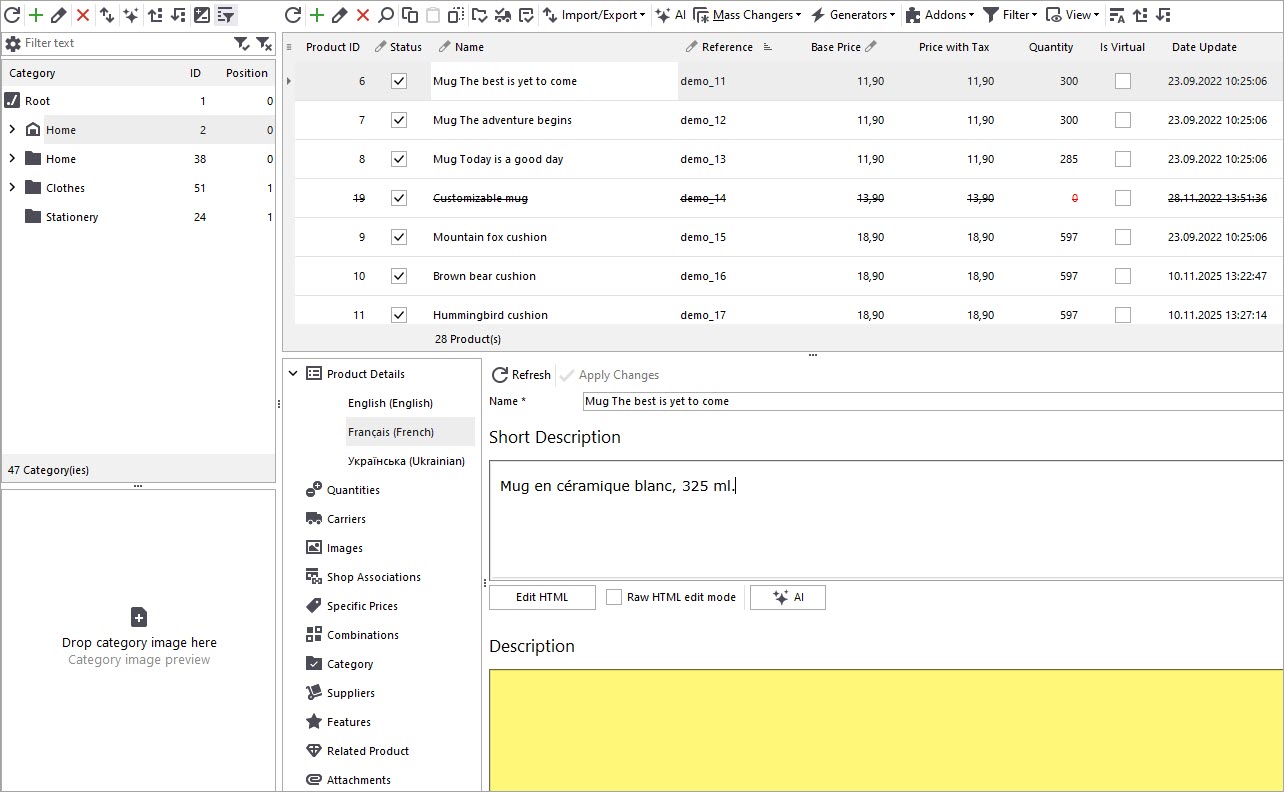
Claude Registration in PrestaShop Manager
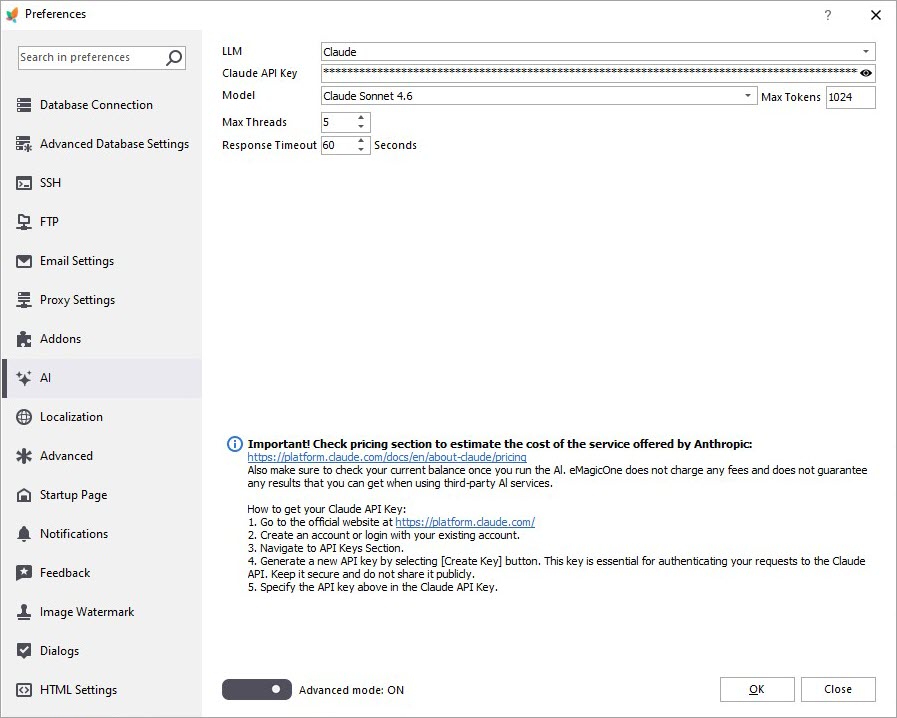
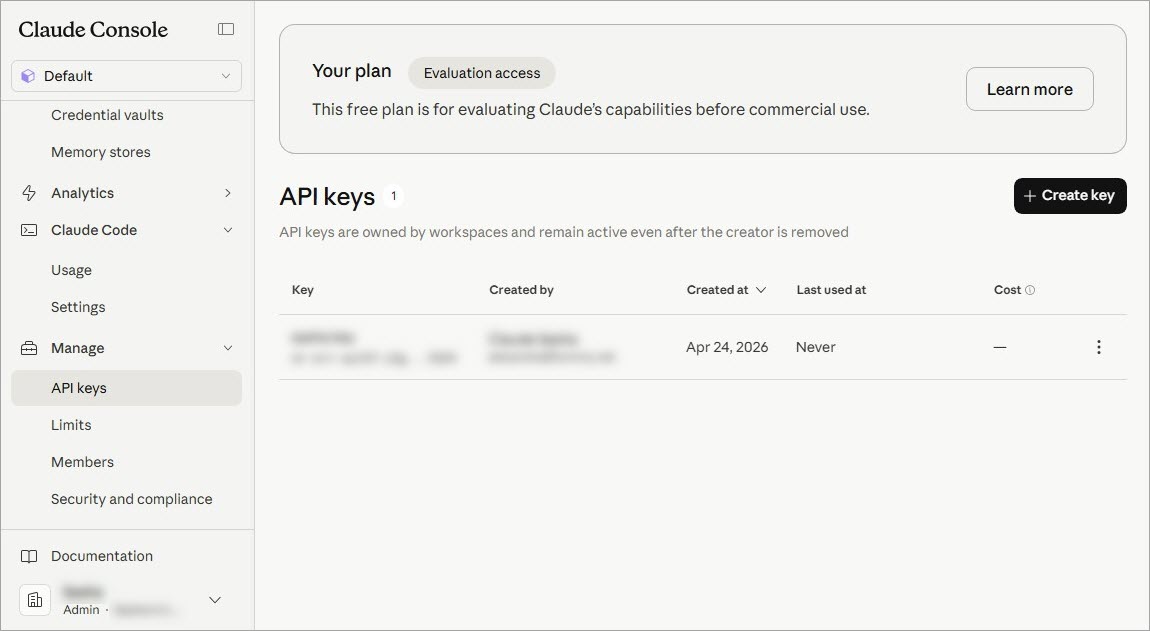
Open the Preferences (F12) window in PrestaShop Manager and go to the AI tab. Select Claude from the LLM dropdown, specify the API key and a model.
You can create an API key in the Claude console / Manage / API keys.
Prompt Editing
To begin translating product descriptions, you’ll need to configure your prompt. Open the AI menu and navigate to PromptBook. Here, you’ll find a list of available prompts that can be applied in bulk. You can create a custom prompt tailored to your needs. We’ll use a prompt designed to translate product descriptions from English to French.
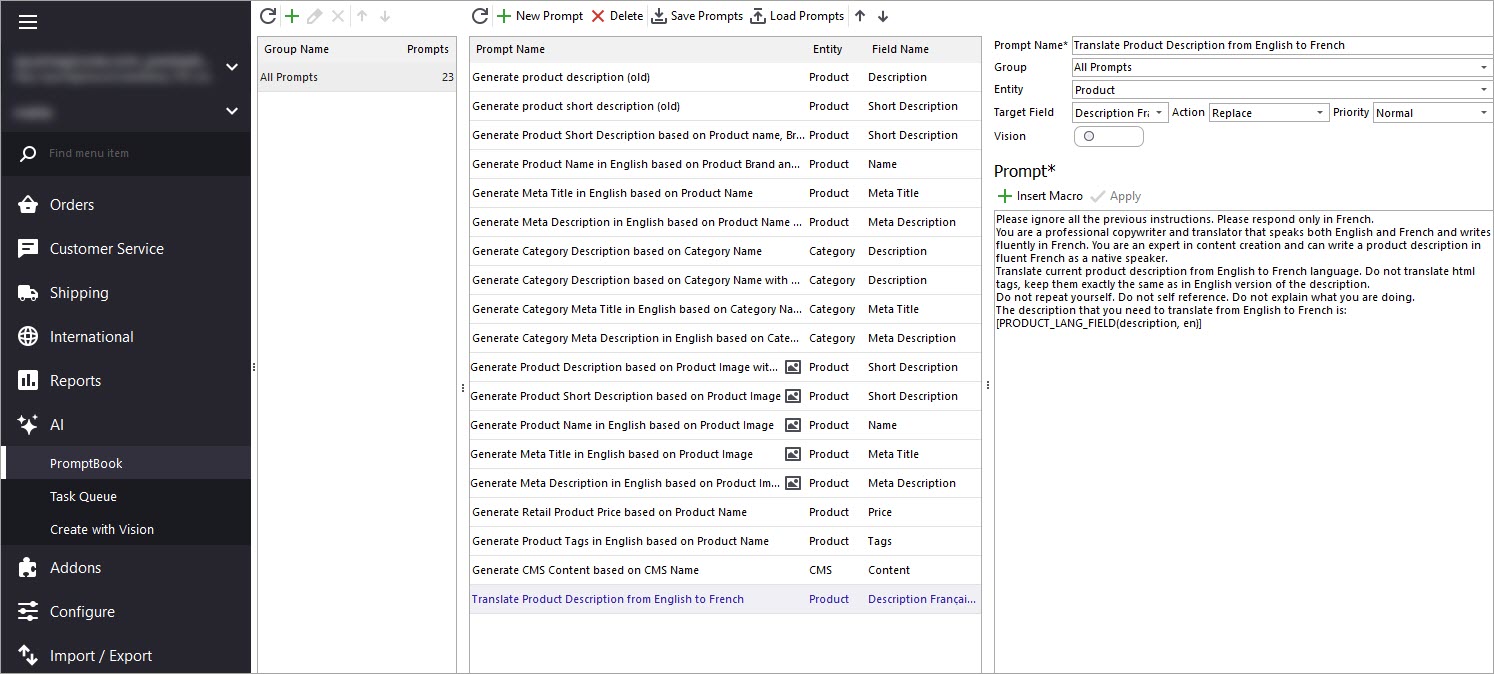
The target field will be “Product Description Français,” where the translated content will be stored. Within the same window, you’ll also find a list of macros representing product fields.
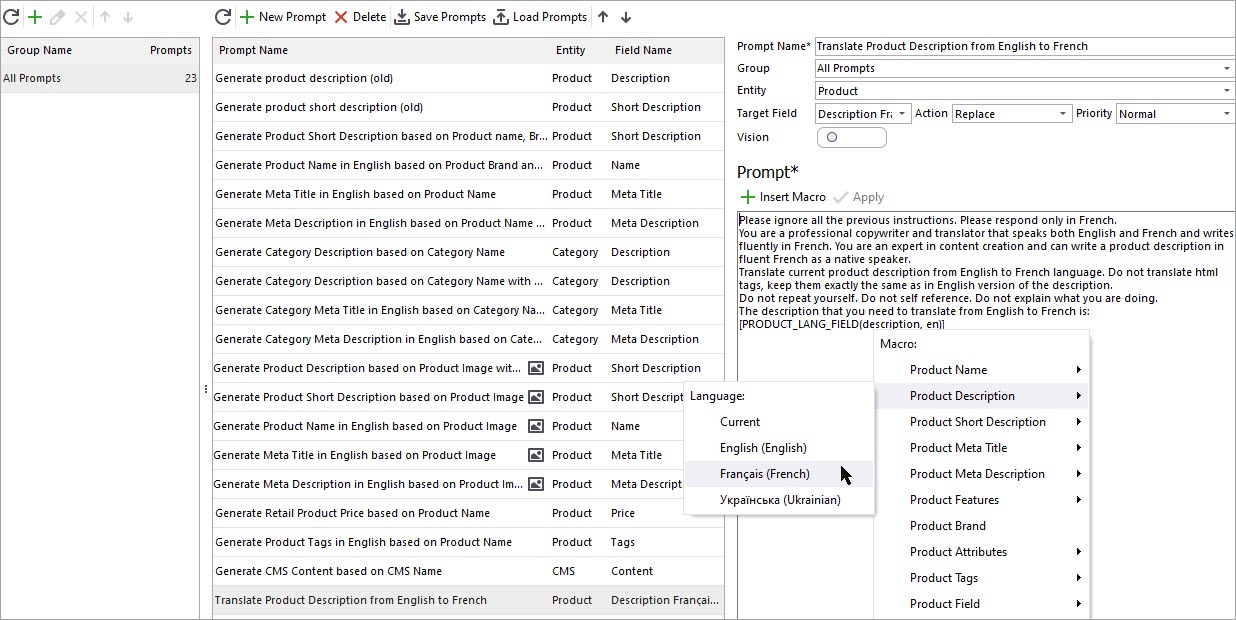
These can be used to pull data directly from your PrestaShop catalog. Add macros that capture the English description and pass it to Claude for translation. Don’t forget to click “Apply” to save your changes.
Claude Generator
Once your prompt is ready, return to the product list and select the items you want to process. It’s best to start with a small selection to review the output before applying changes to your entire catalog. Then click the “AI” button to open the Claude Generator. In the settings window, choose the prompt you created.
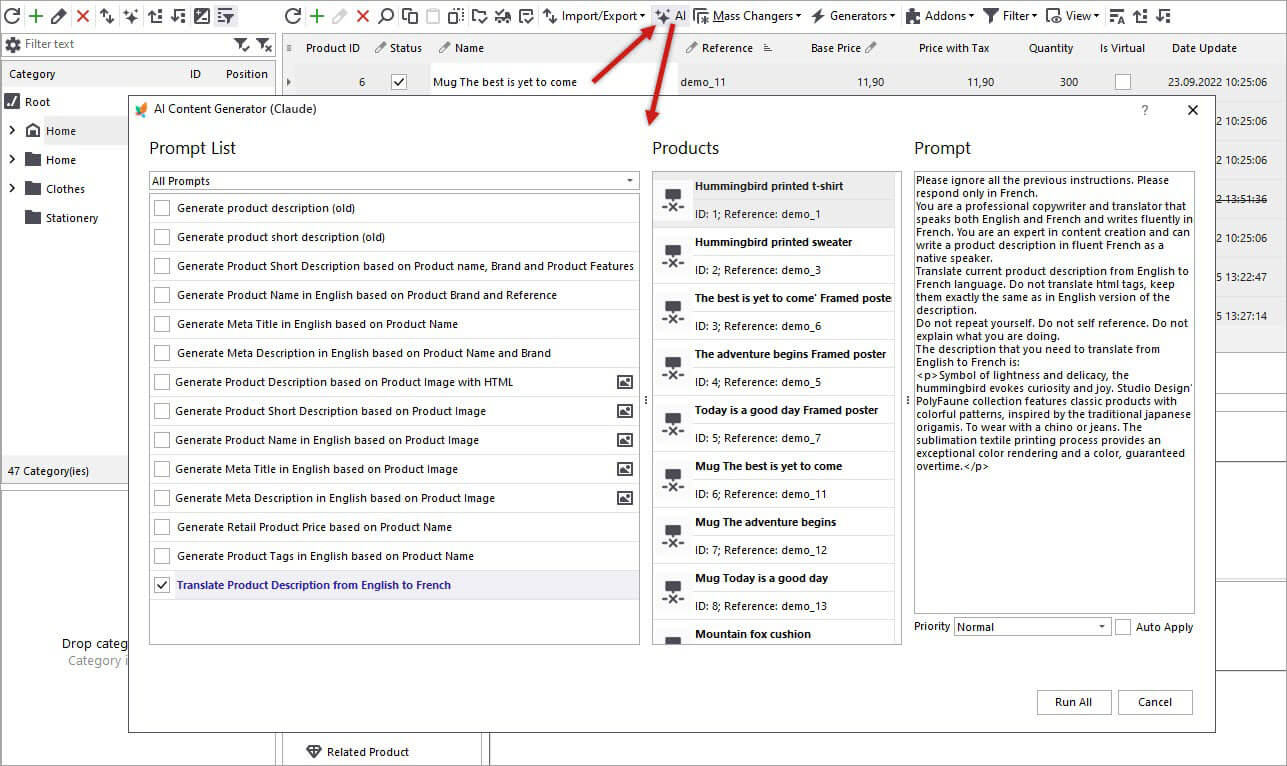
Hit “Run All” and open the Tasks Queue to monitor progress. You’ll see a list of products and their corresponding tasks. Once completed, the status changes from “Pending” to “Generated.”
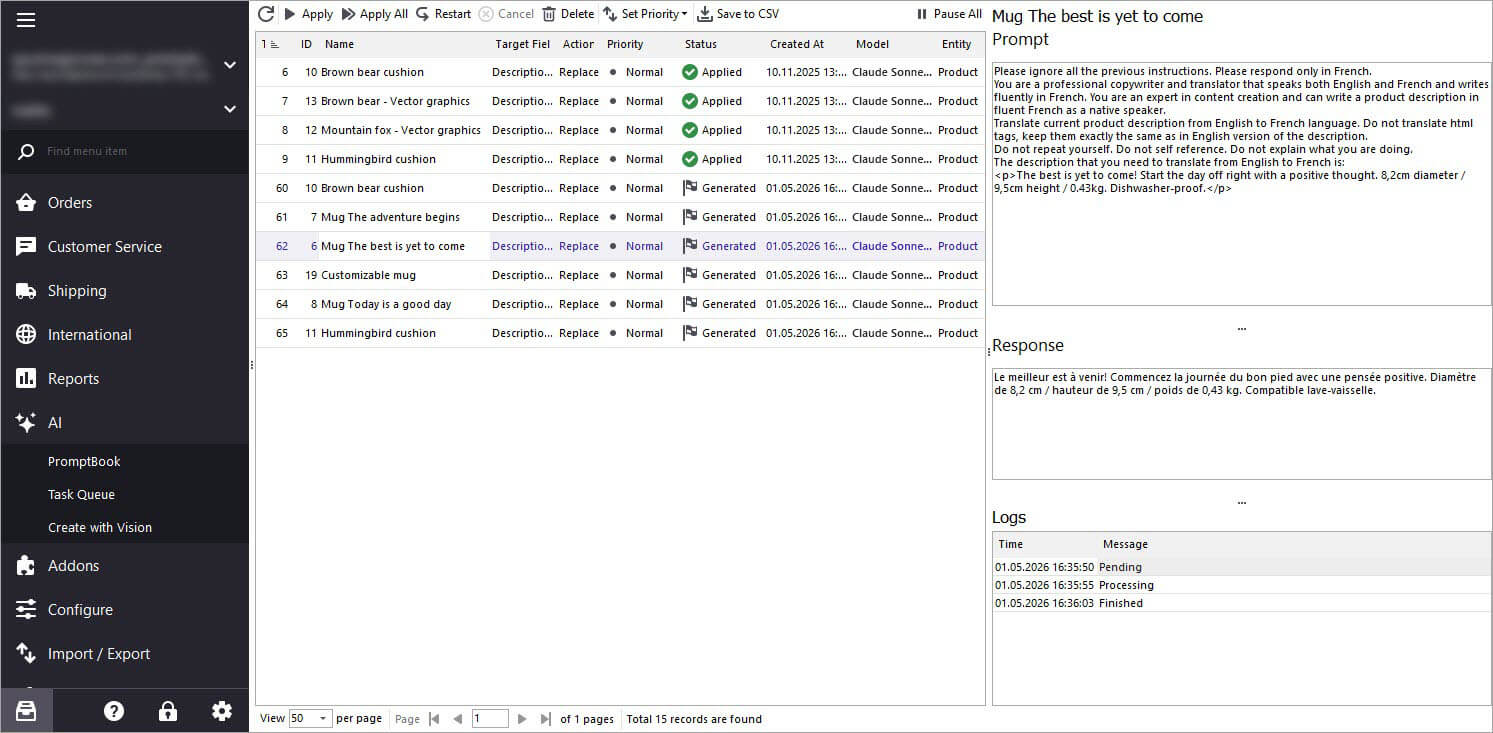
Before applying the results, you can review Claude’s response for each product. If everything looks correct, click “Apply” to update individual products or process them in bulk. After applying the changes, you can view the translated French descriptions directly in Store Manager.
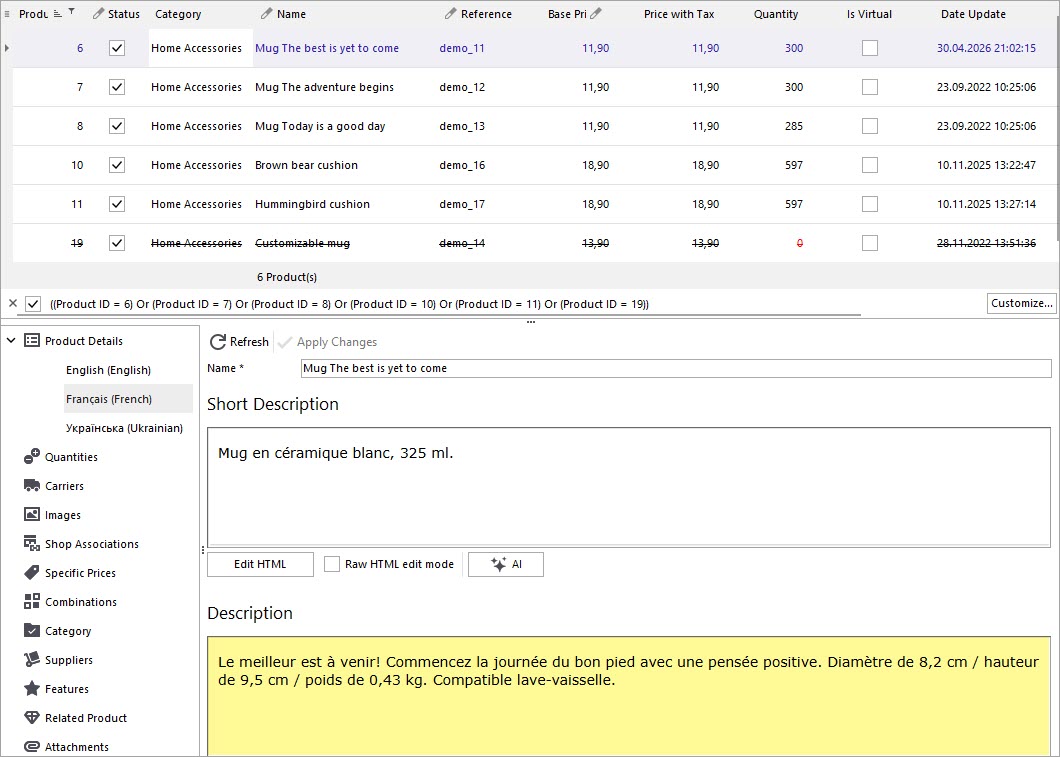
This method can be used to translate all your PrestaShop products in bulk. In addition to translation, you can replace, append, or prepend generated content, as well as use other product attributes like color, size, or more to enhance and refine your descriptions. We hope this guide shows how Store Manager for PrestaShop combined with Claude integration can streamline and simplify your translation workflow.
Translate PrestaShop Descriptions in Bulk with Claude FREE for 14 days
Download FREE trial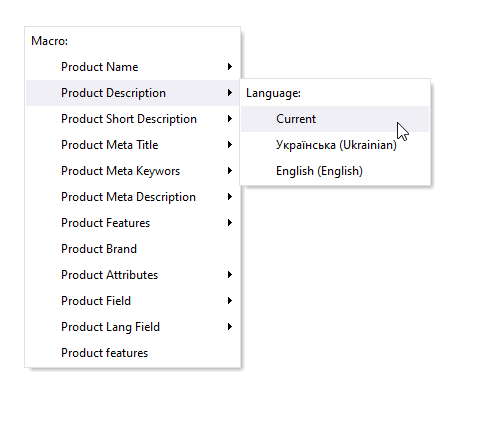
How to Generate PrestaShop Product Meta Description Based on Product Name and Brand with ChatGPT
Learn how to generate product meta descriptions based on product name and brand in bulk with Store Manager for PrestaShop and ChatGPT tool. Read More...
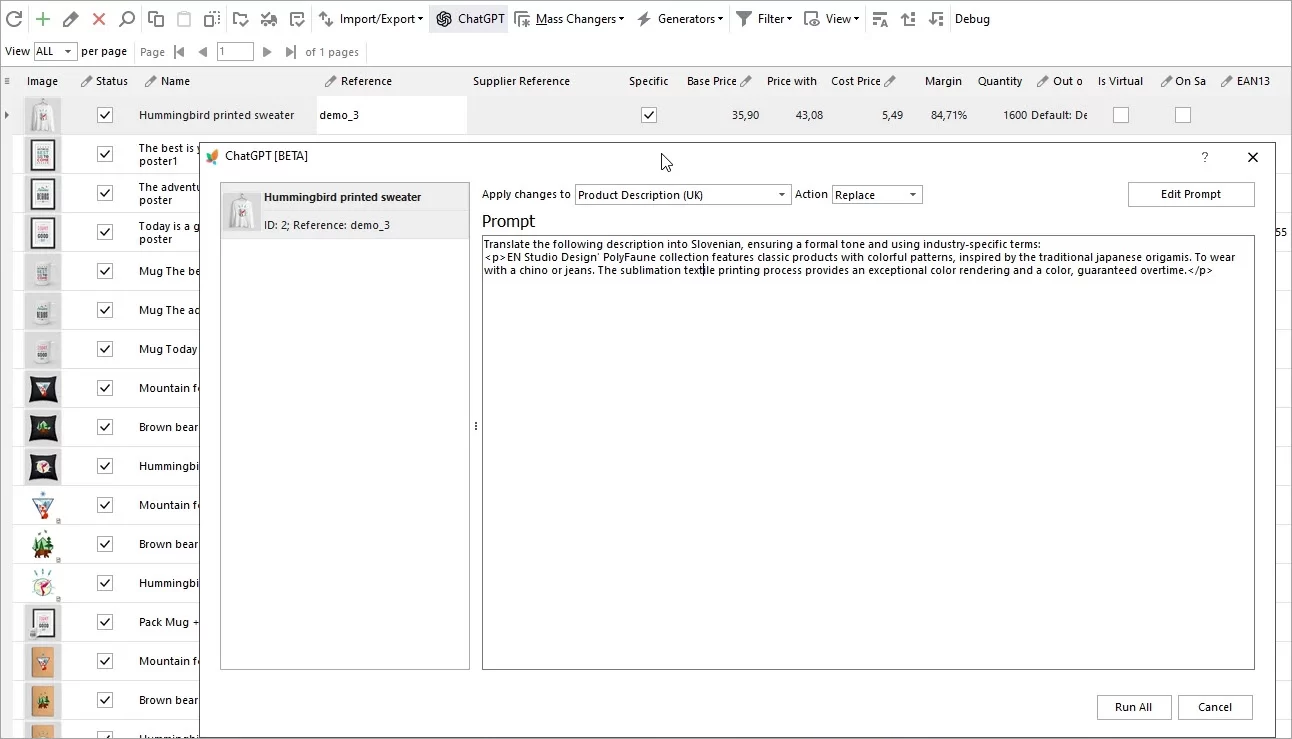
Translate Product Data with ChatGPT Plugin
Are you looking to expand your market reach by translating your PrestaShop product descriptions into multiple languages? Look no further – the ChatGPT makes this process a breeze. Read More...
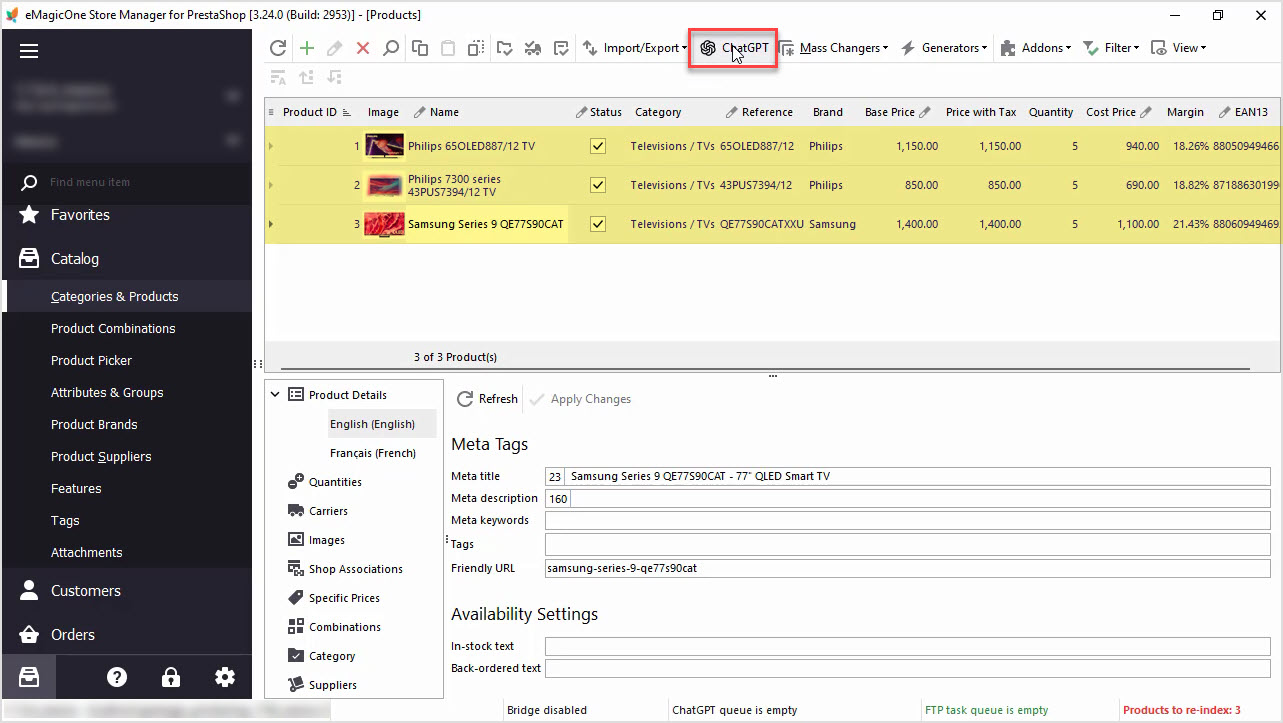
How to Write a Perfect ChatGPT Prompt for PrestaShop Products, 8 Things You Should Include or Check
Find tips and tricks on how to write a perfect prompt for your specific case to maximize the potential of AI tools for your business. Read More...
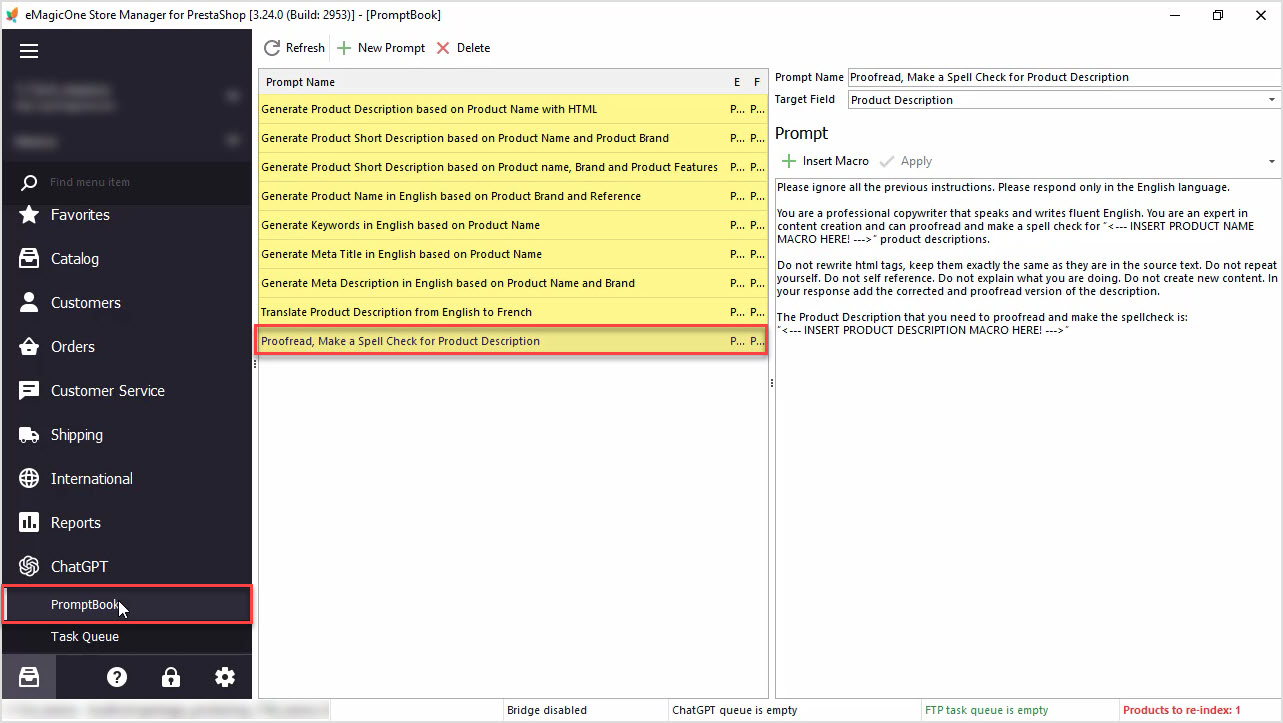
How to Proofread, Make a Spell Check for PrestaShop Product Data Massively with ChatGPT
In this article we’ll show you how to perform a spell check or proofreading of PrestaShop product description with Chat GPT and Store Manager software. Read More...
COMMENTS