
Ollama for PrestaShop
Connect PrestaShop to AI installed on your Ollama local server and use content generation tool without any recurring fees.
Important: Store Manager for PrestaShop license is required and separeate license key for addon registration.
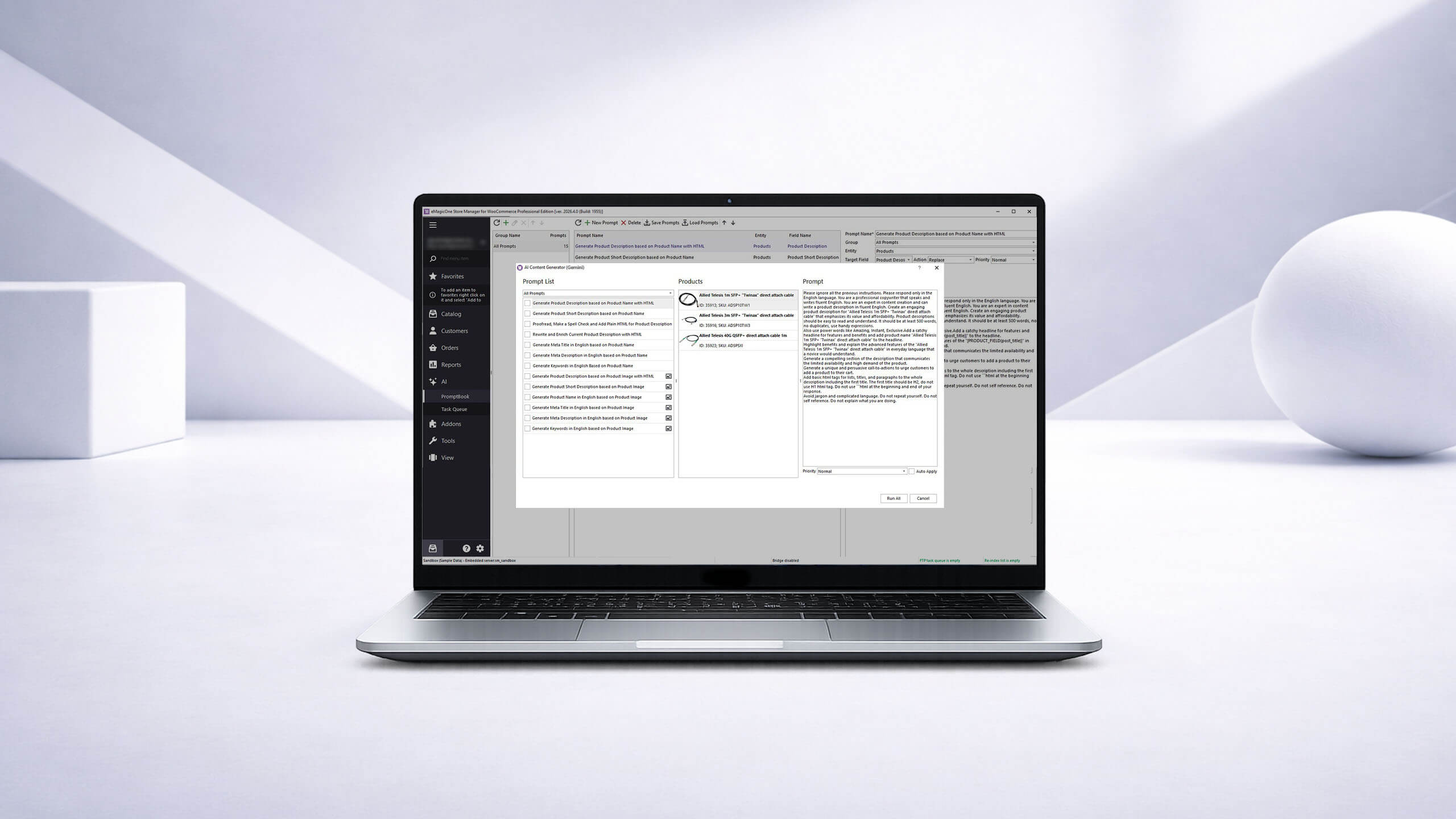
Connect PrestaShop store to any AI models running on Ollama local server
Ollama for PrestaShop is a Store Manager for PrestaShop addon. It allows you to connect your PrestaShop store to Ollama and use any local AI models without any recurring fees. The list of AI models supported by Ollama can be found at: https://ollama.com/library
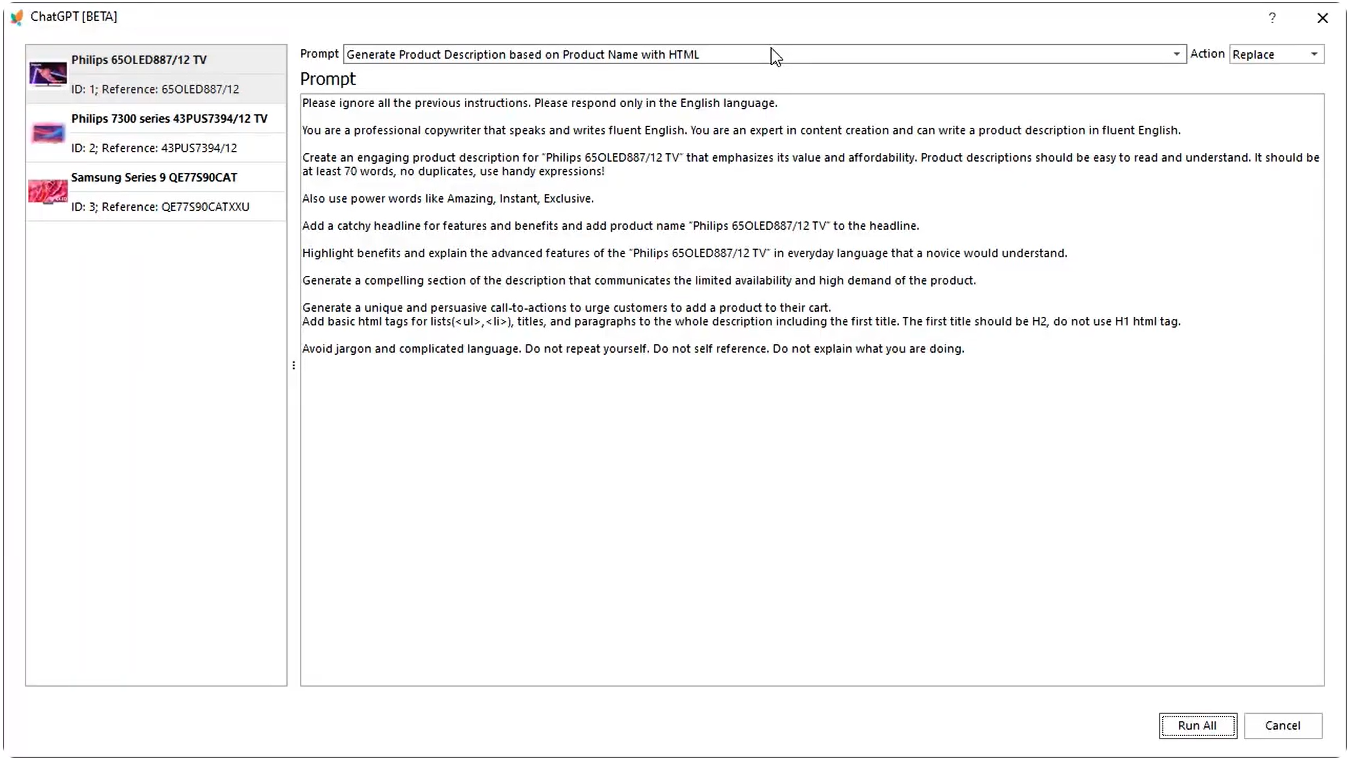
Generate PrestaShop product and category data with AI installed on Ollama
- Generate missing product data like product name, product descriptions and more in bulk.
- Generate missing product category data like category name, category description and meta data.
- Use built-in Macros features to add dynamic elements (like add manufacturer, brand, attributes, product name to be used in the generated content.
- Append, prepend or replace existing data. Best solution is to append or prepend generated texts by LLM to the existing data from supplier / manufacturer
- Highlight features, add call to action, H2, H3 headings, lists, and other elements that include product name to enrich your product description.
- Run the task in parts to achieve more accurate results. Create a separate prompt for each part of your product description, for example generate H2 based on your product name, add it to the description, append the description highlighting product features with another prompt. Append call to action with the third prompt. When running in parts, the result will be more accurate and less spammed.
- Free prompts available.
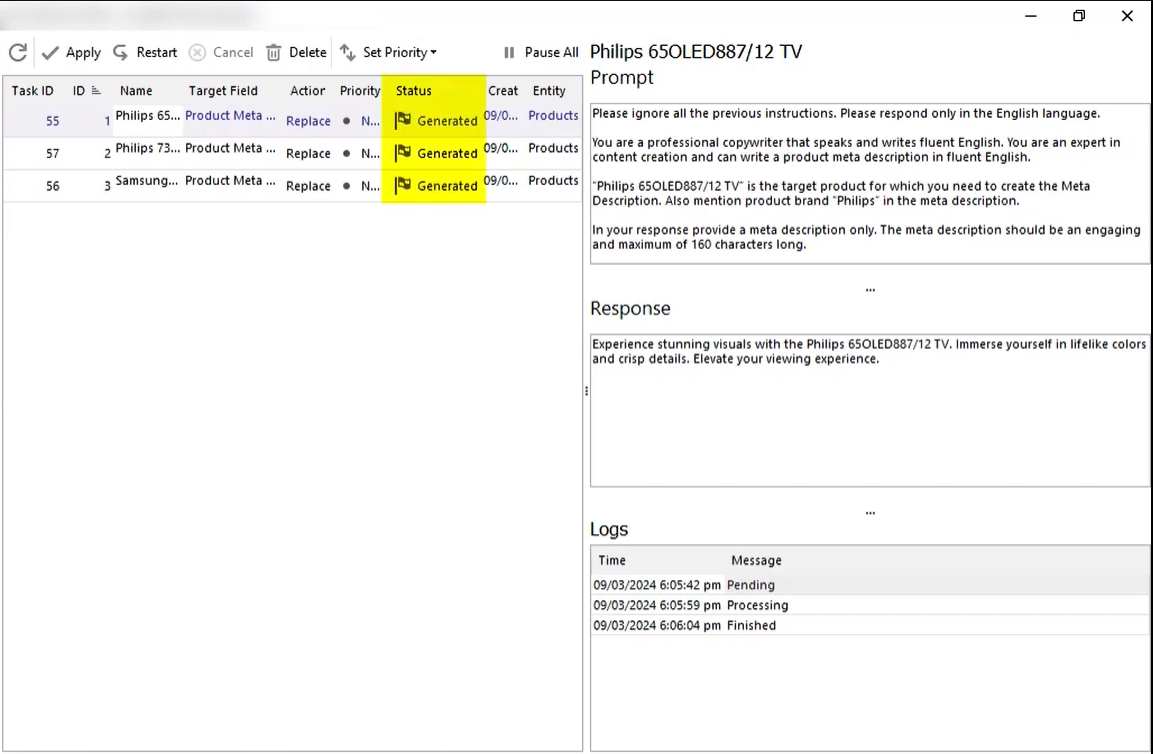
Generate PrestaShop product meta data
- Supercharge your SEO strategy with Local AI models installed on Ollama.
- Add compelling product meta titles and descriptions effortlessly.
- Generate category meta data in bulk.
- Use dynamic elements like product name, manufacturer name, category name and other to increase click through rate.
- Limit the length per your requirements.
- Identify and add relevant keywords. Starting from PrestaShop version 8.x the keywords field is not available any more. Check PrestaShop documentation for details.
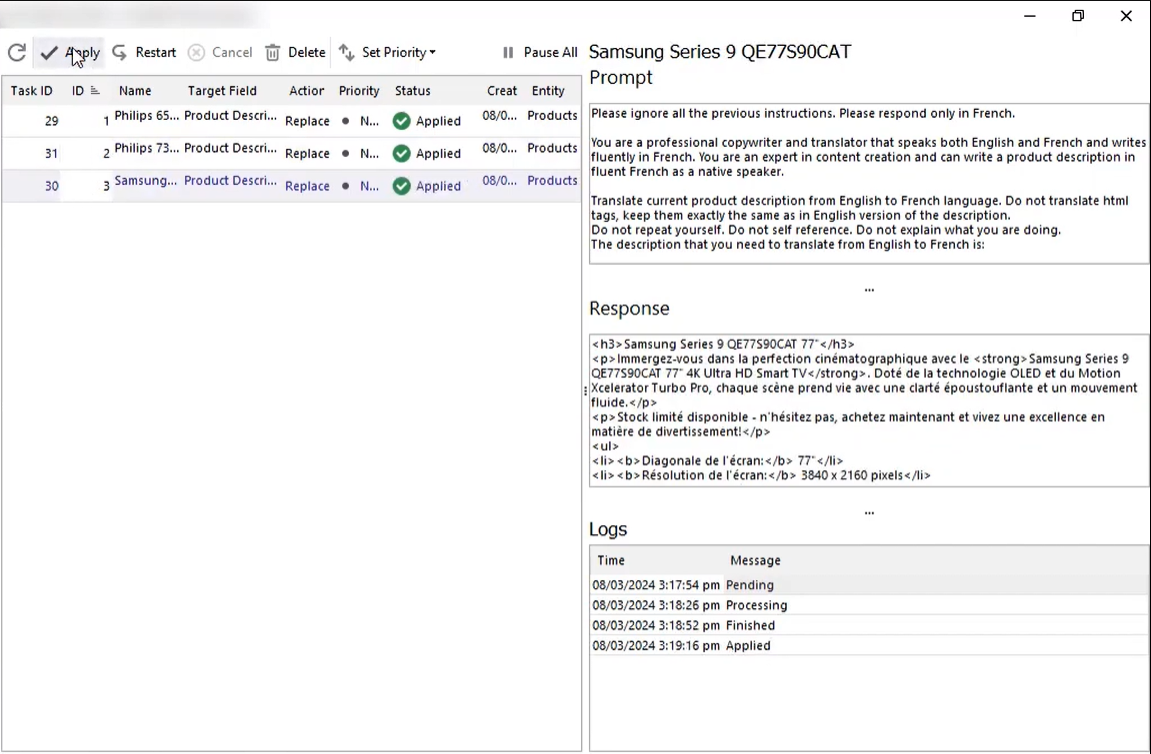
Translate into multiple languages with AI models installed on Ollama local server
- Automatically translate product data into any language.
- Translate category data into any language with Ollama integration.
- Request any other feature and get your scenario implemented free of charge.
- Free prompts available.
Rewrite, proofread, perform spell check and grammar check
- Rewrite existing generic descriptions provided by your supplier, making them unique.
- Make sure your content is professionally written, does not have any typos and grammar mistakes.
- Add the call to action, lists, tables, etc.
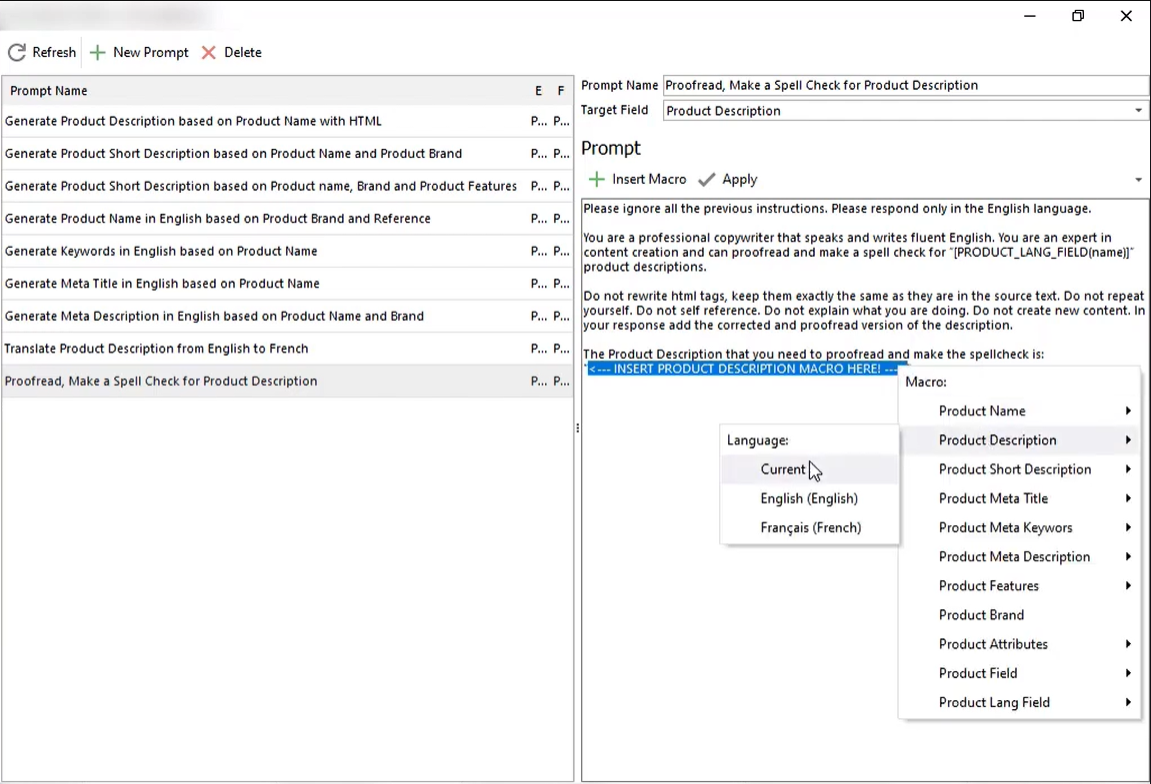
Use Free prompts included in the software or create your own using PromptBook
- Use one of our free prompts to generate and translate data in bulk.
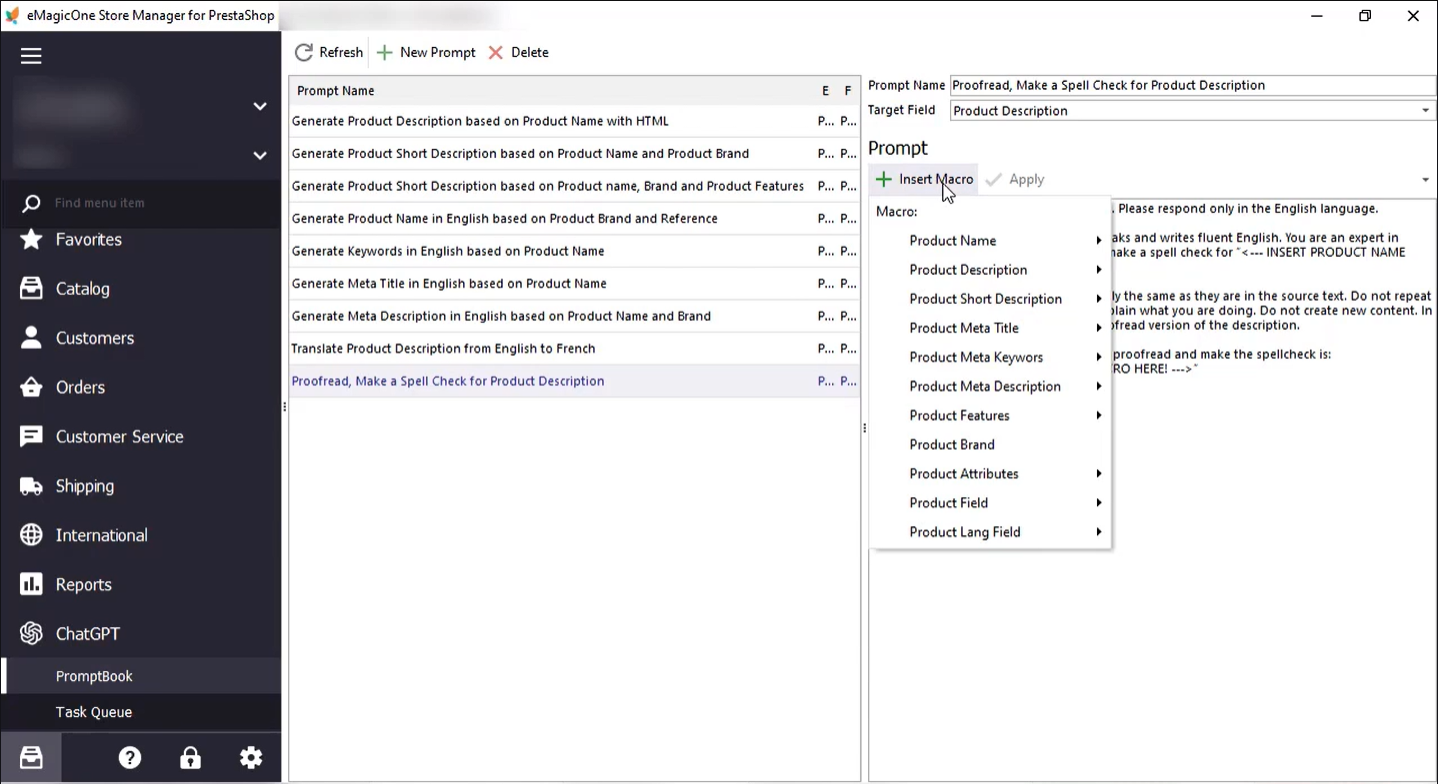
- Create your own prompts per your needs, use macros with other PrestaShop fields to dynamically generate content based on category, product name, brand, image or any other field.
- Use free assistance to adjust your prompt with our prompt engineers.
- Apply a few prompts one by one to one field to get the best results (for example generate product description by parts and append generated data to get the best result).
Ollama for PrestaShop Addon Benefits
Ollama for PrestaShop Addon brings multiple benefits to your business, enabling you to:
- Save time - The addon allows you to use default prompts or adjust them per your needs and run fro all products in one click.
- Reduce errors - Take full control over the process. Review changes annd approve them in bulk. This reduces manual data entry errors.
- Increase your revenue - You can expand your revenue by making sure your content is up to date.
Ollama for PrestaShop addon is a great time-saving tool for your business powered by Ollama local server with latest AI models.
- Store Manager for PrestaShop
- Ollama local server
- Local AI installed, up and running. Check for supported local AI models at: https://ollama.com/library
- Windows
Hear what our customers have to say
See last feedbacks about eMagicOne products and services. Your feedback help us make our products and services better each day!
- Erkan Sevinç said about Ira KobylianskaI would like to sincerely thank you for your help and support.
- Juan Carmona said about Ira Kobylianskasolved
- Berenger said about Ira Kobylianskagreat support
- Damian said about Ira KobylianskaExcellent support
- Anonymous said about Dmytro Grycelyakstiil in work progress