
Generate PrestaShop Product Meta Description Based on Product Name and Brand with Gemini
Do you find it time-consuming to manually fill in missing product data? Save hours by generating product meta descriptions in bulk based on product name and brand using Store Manager for PrestaShop and the built-in Gemini AI tool. If you don’t have the software yet, it’s the perfect time to download a free trial and get started!
Step 1: Create Your Prompt
To generate PrestaShop meta descriptions in bulk, start with prompt creation. Open the AI menu and navigate to PromptBook.
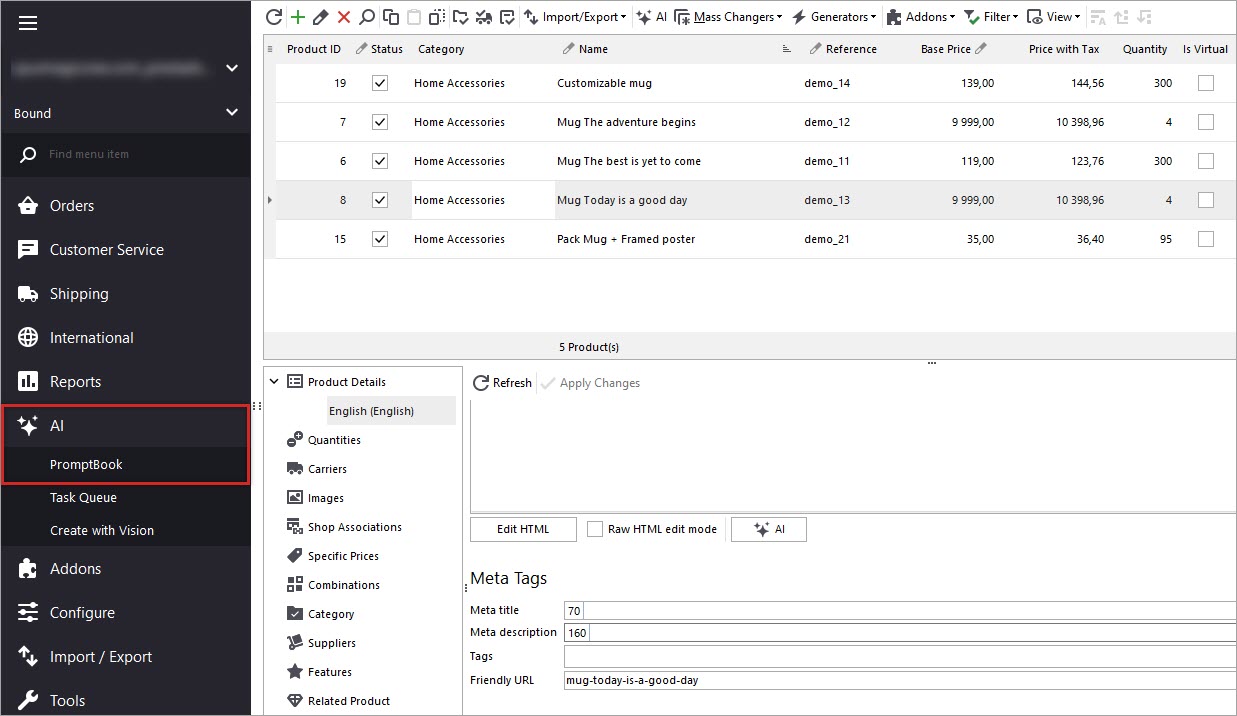
Here you can browse existing prompts or create your own, tailored to your needs. In this example, we’ll use a prompt that generates a PrestaShop meta description based on the product name and brand.
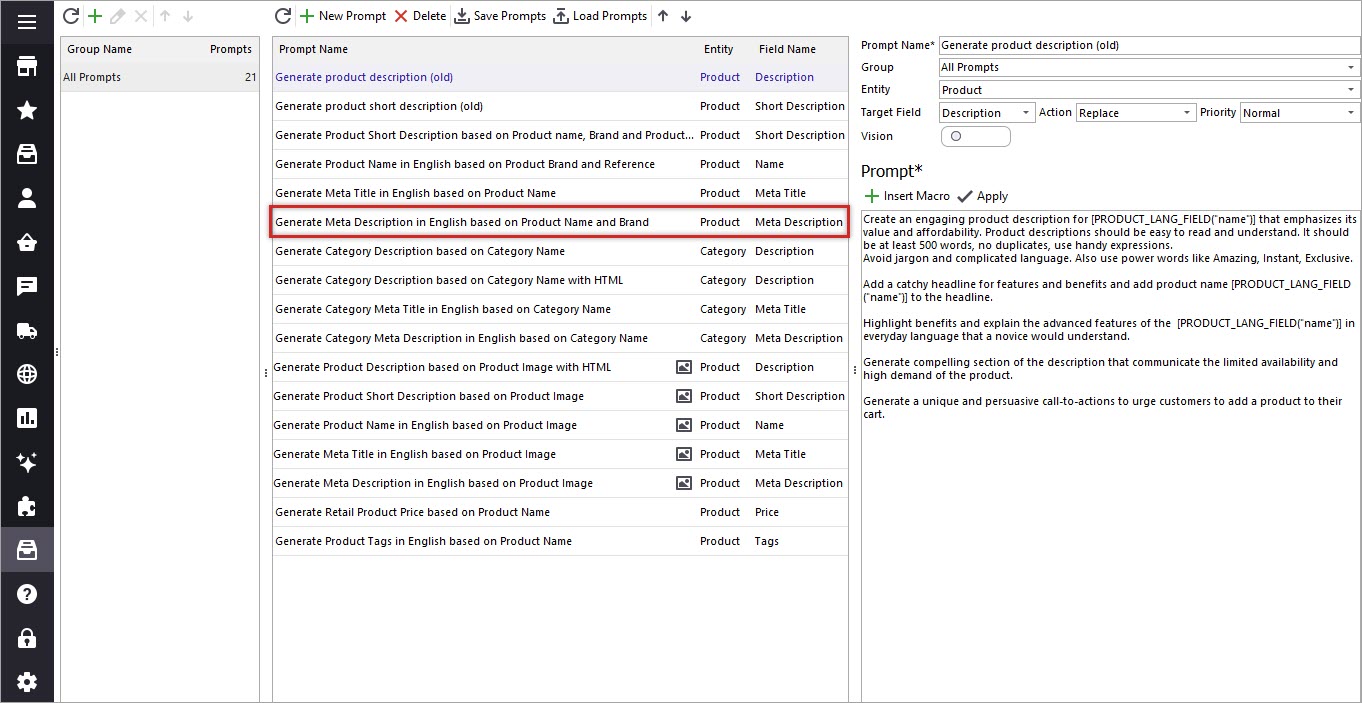
Step 2: Insert Macros into the Prompt
Next, set the target field to Product Meta Description — that’s where Gemini will save the generated text. You can also see a list of available macros representing product fields. Add Product Name and Brand to your prompt.
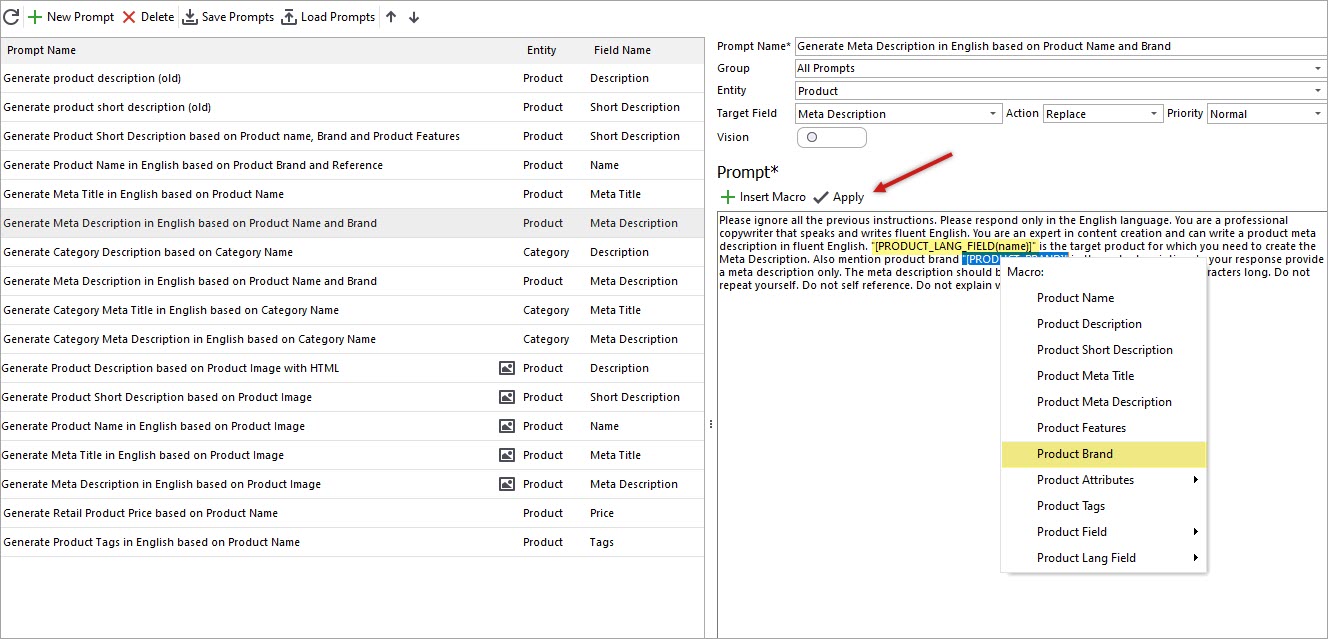
Experiment with your prompt to achieve the perfect result.
[quote color="green"]Tip: Meta descriptions should be under 160 characters. Include this limitation directly in your prompt.[/quote]Don’t forget to click Apply to save changes.
Step 3: Open Gemini Editor
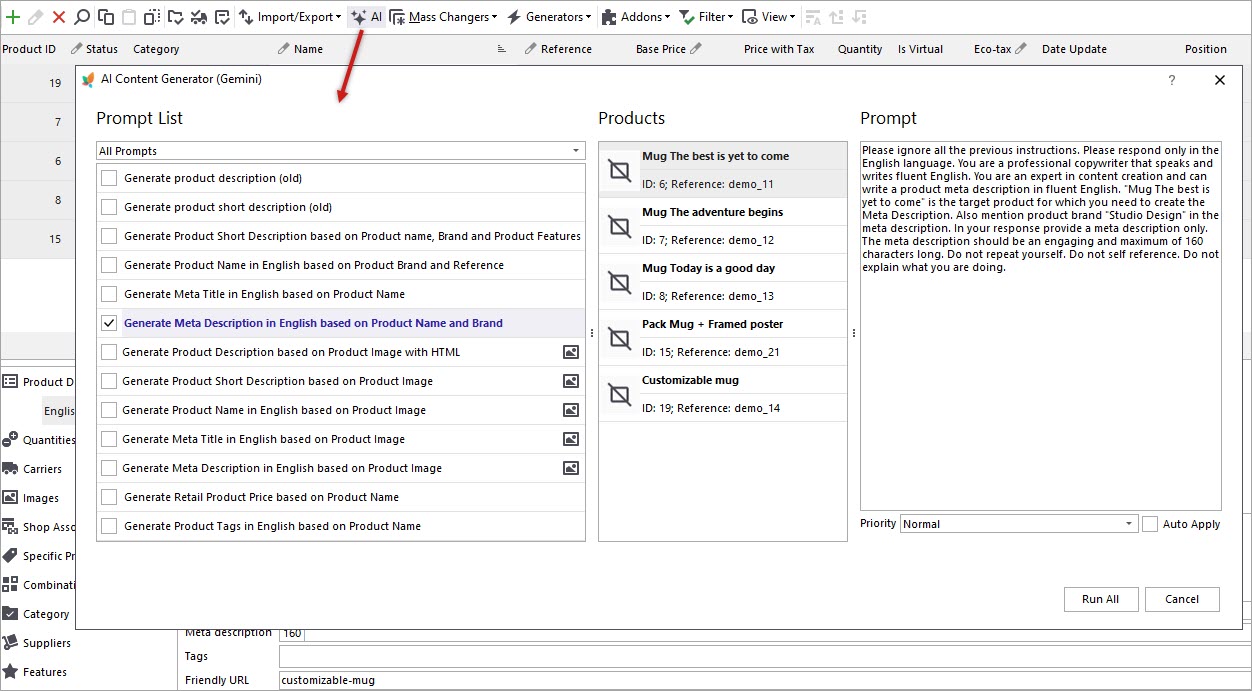
Once your prompt is ready, return to the product list. Select the products you want to update — we recommend testing a few items first. To start the process, click the AI button.
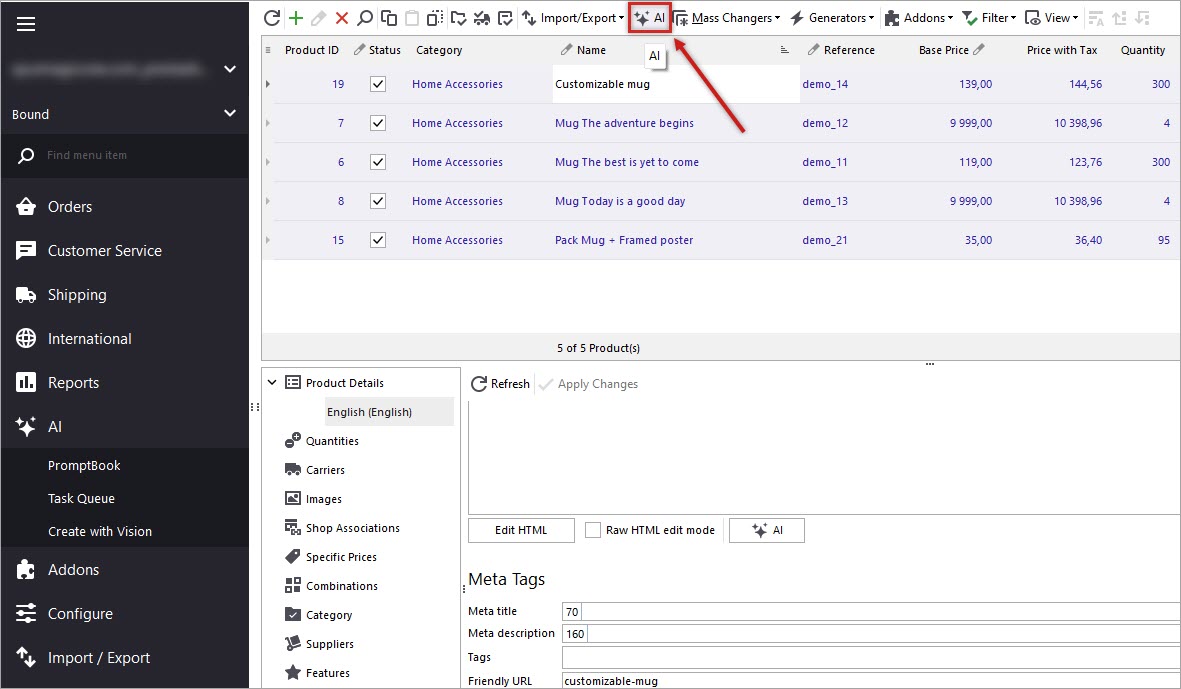
Step 4: Choose a Prompt and Action
You’ll see all selected products listed. Pick the prompt you want to apply (Generate meta description in English Based on Product Name and Brand).
Step 5: Monitor Progress in Gemini Task Queue
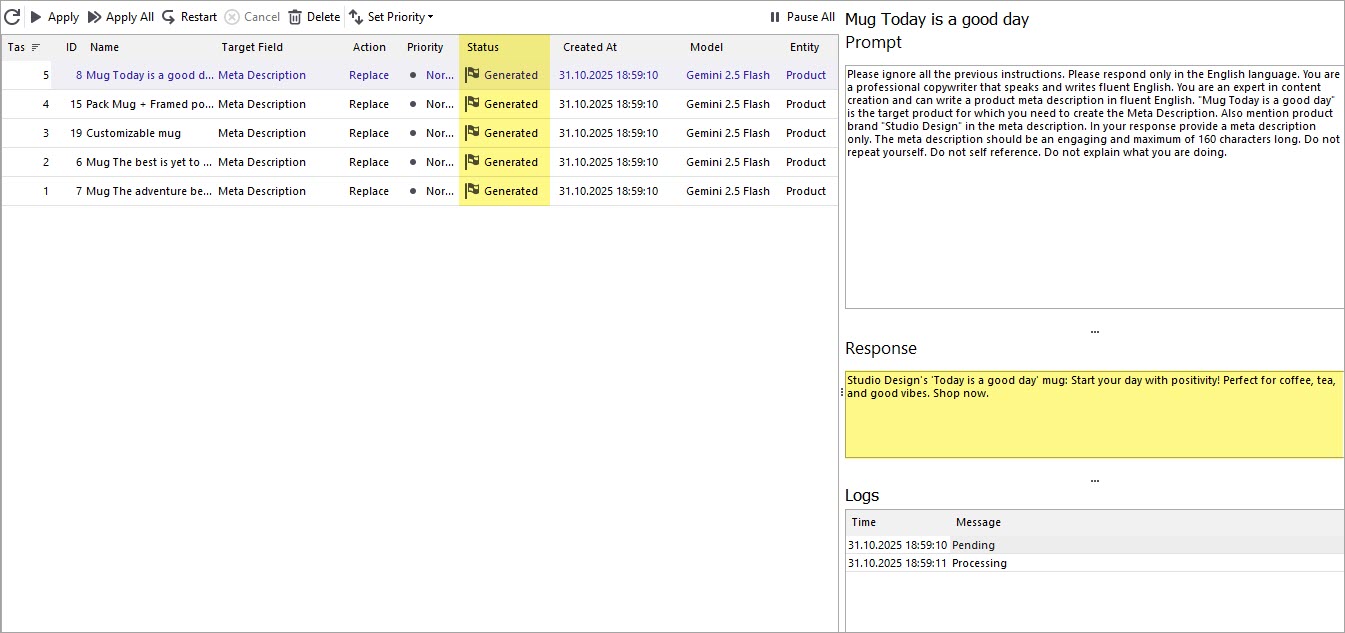
Run the process and open the Tasks Queueon the left pane to view Gemini in action. You’ll see every product and task listed along with Gemini’s responses. Once the generation is complete, the status changes from Pending to Generated. You can preview the text before applying it to your products.
Step 6: Apply the Result
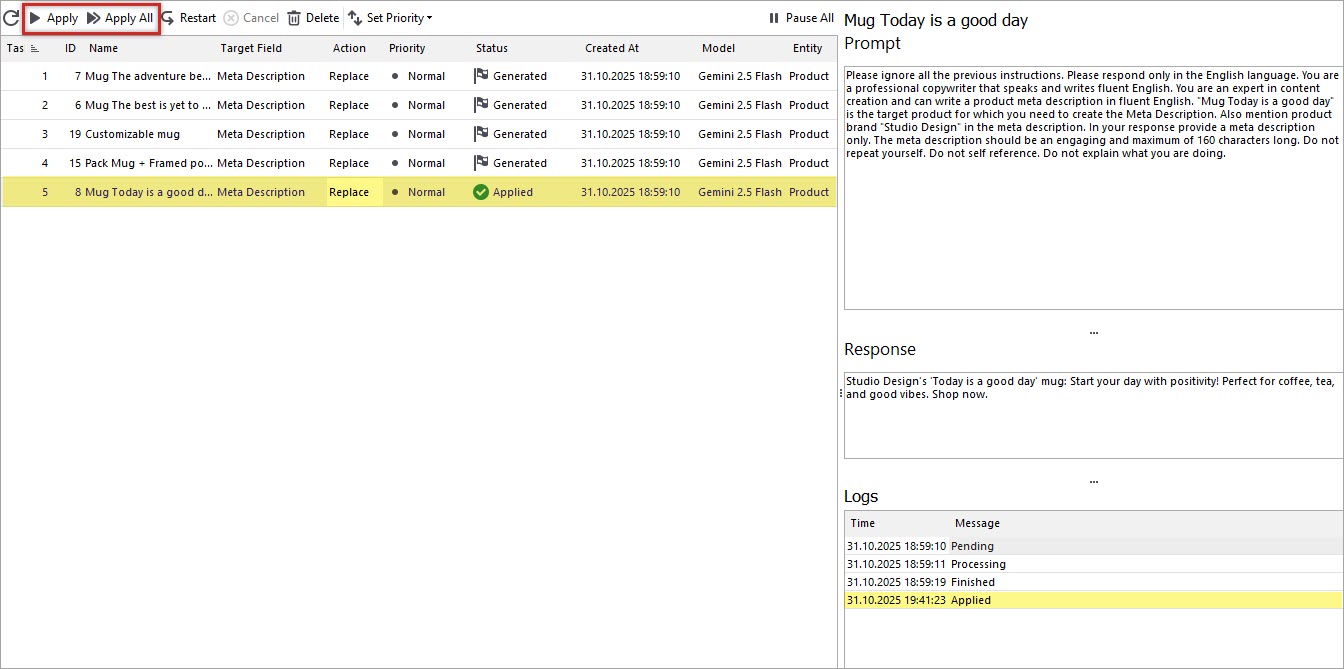
If you’re happy with the output, click Apply — either individually per product or in bulk for all selected items.
Step 7: Review the Updates in PrestaShop
Finally, check the newly generated meta descriptions with Gemini in Store Manager’s product grid.
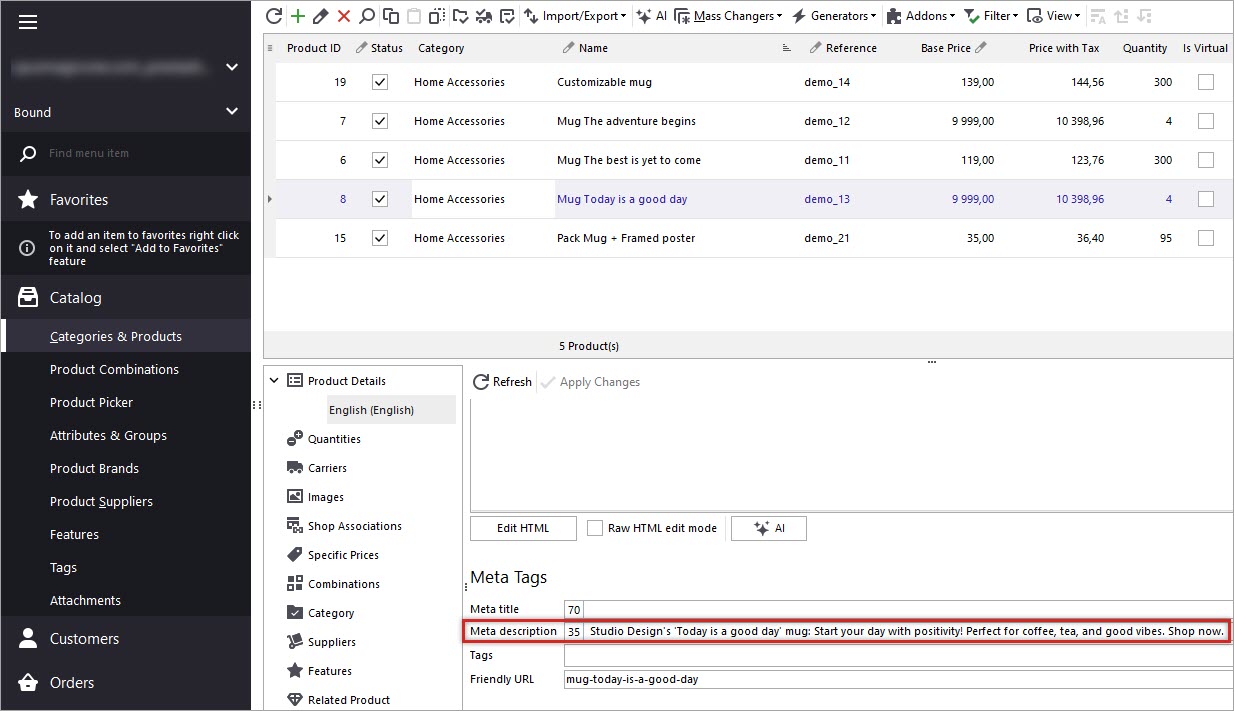
You’ll now see automatically generated text under each product - concise, relevant, and optimized for SEO. Remember to refresh the product page in the admin panel to view the updated data if you are working with the Direct connection type and post changes to web if using PHP-MySQL Bridge or Connector.
Automate, Translate, and Enrich Your Product Data
You can use Gemini not only for meta descriptions but also to:
- Translate product details into multiple languages
- Enrich and proofread content
- Perform spelling and grammar checks
- Generate SEO-friendly titles, descriptions, and tags in bulk
- Create products from scratch based on an image
Generate PrestaShop Product Meta Description Based on Product Name and Brand with Gemini
Download FREE trial
Related Articles:
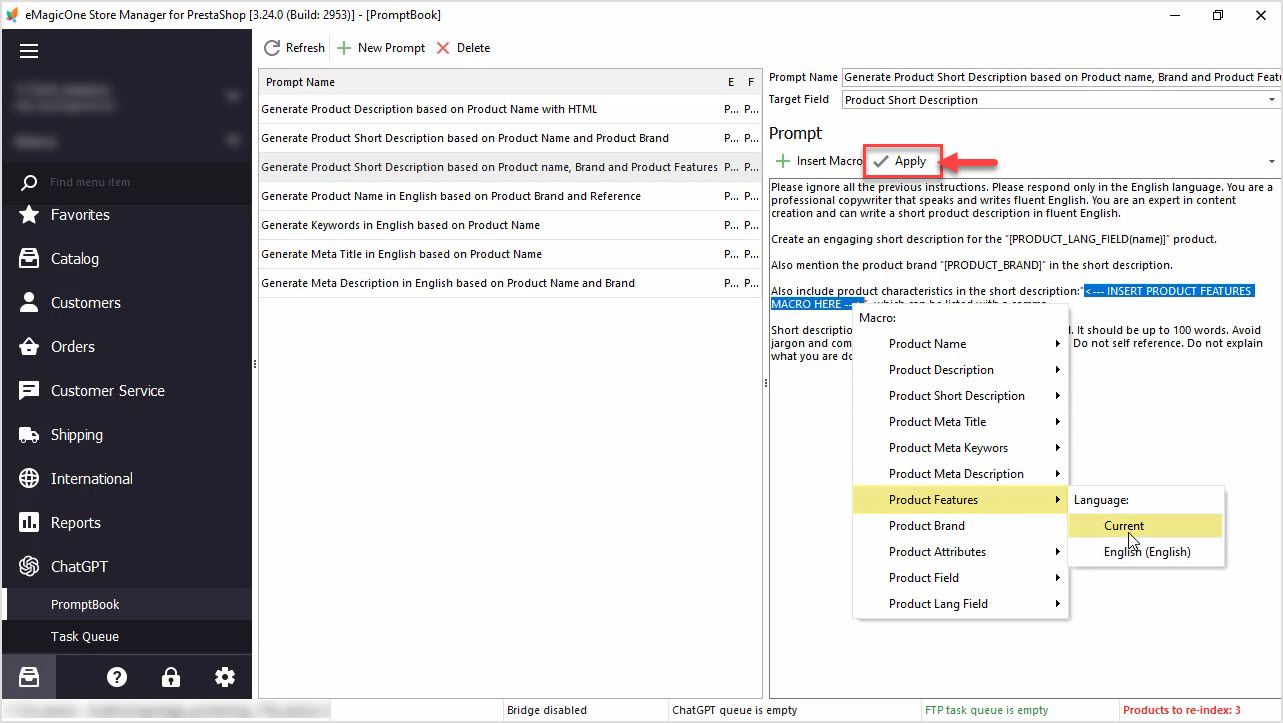
How to Generate PrestaShop Short Description Based on Product Name, Brand and Product Features
Generate PrestaShop short descriptions based on product name, brand and product features in bulk with ChatGPT integration available in Store Manager for PrestaShop. Read More...
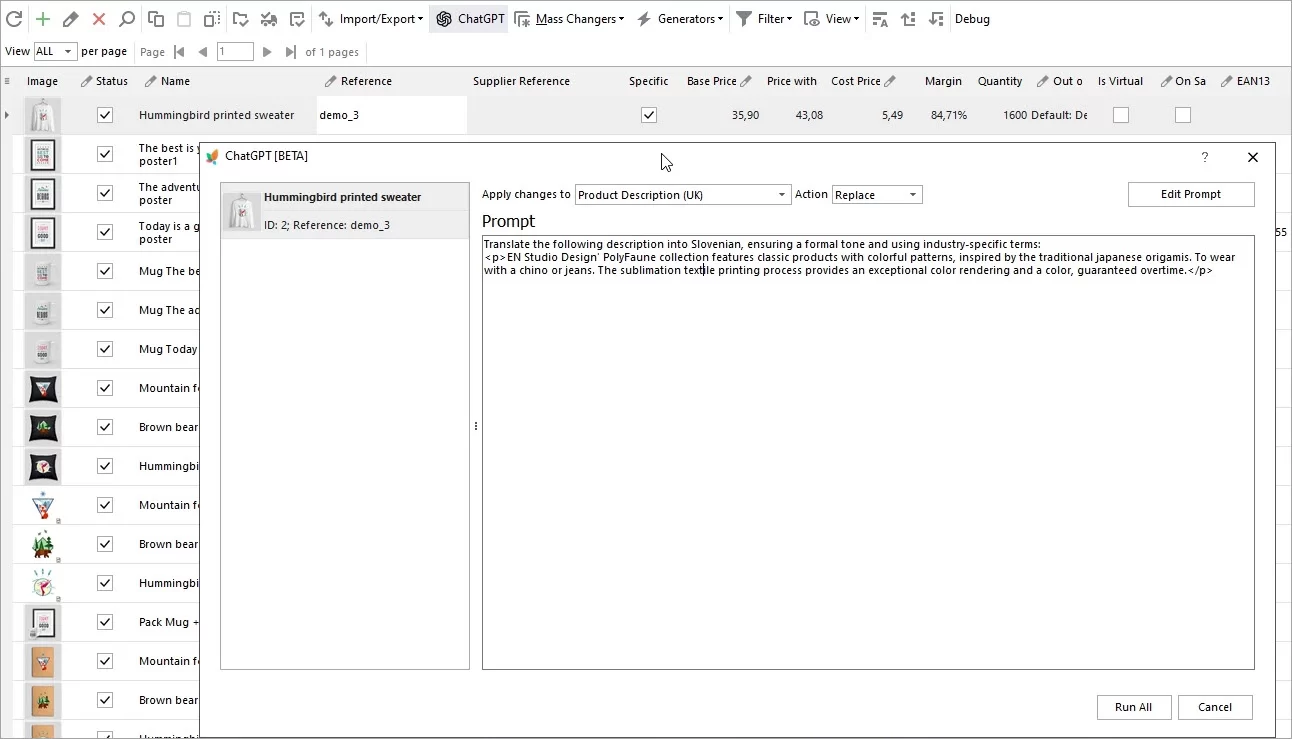
Translate Product Data with ChatGPT Plugin
Are you looking to expand your market reach by translating your PrestaShop product descriptions into multiple languages? Look no further – the ChatGPT makes this process a breeze. Read More...
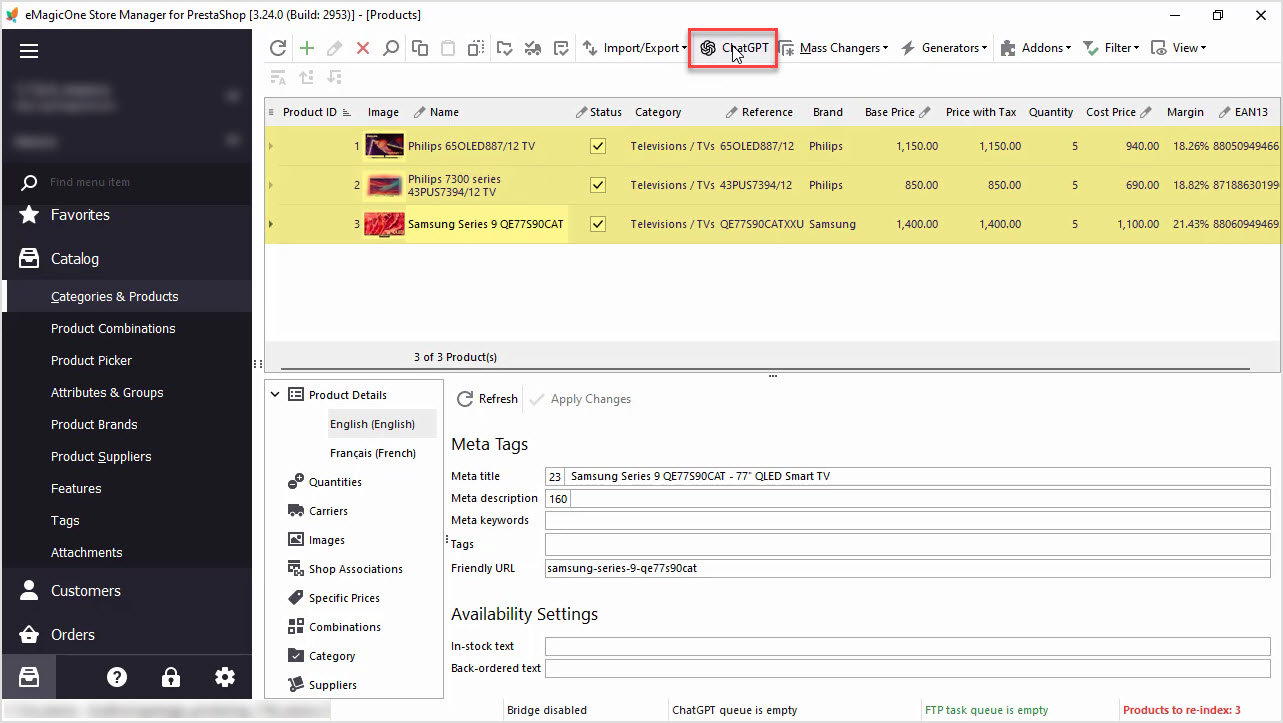
How to Write a Perfect ChatGPT Prompt for PrestaShop Products, 8 Things You Should Include or Check
Find tips and tricks on how to write a perfect prompt for your specific case to maximize the potential of AI tools for your business. Read More...
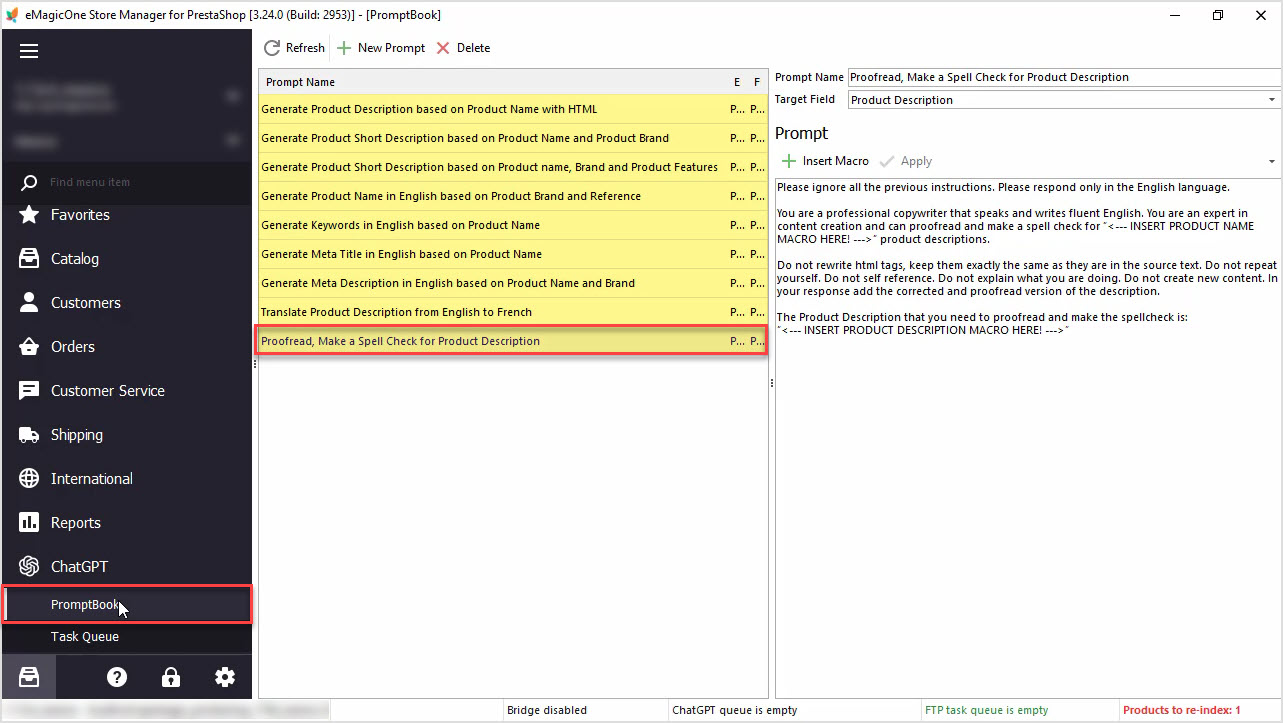
How to Proofread, Make a Spell Check for PrestaShop Product Data Massively with ChatGPT
In this article we’ll show you how to perform a spell check or proofreading of PrestaShop product description with Chat GPT and Store Manager software. Read More...
COMMENTS